
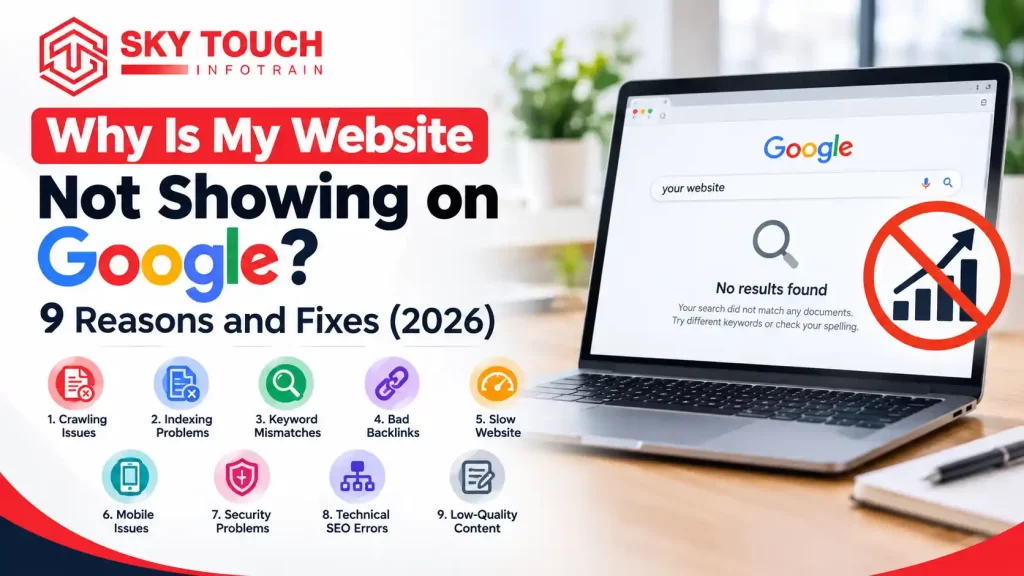
Quick answer: Why is your website not visible on Google? Your site is not appearing on Google either because Google hasn’t indexed it or an obstacle (noindex tag/robots. Txt file) prevents it from being indexed. The top reasons for this include thin content, a sitemap error, or a slow site and lack of external links. Search with Search Console.
You have created a website, now you need to put it on Google and that website you search for, does not show. That is not a very good feeling but it is extremely common and, most of the time, it can be solved.
In this guide, you will learn how to check if your site is really missing, the 9 most common reasons, and what to do for each one. We use simple steps, so you do not need to be a tech expert.
First, check if your website is really missing from Google
Do these three quick checks:
- Search site:yourwebsite.com on Google. If you see your pages Google has indexed your site. If you see “Your search did not match any documents” then your site has not been indexed.
- Search your brand name. Google can see your site if it ranks for it’s own name.
- Use the URL Inspection tool in Google Search Console. Page link. It shows if the page is on Google and why not.
Good to know: Being indexed and ranking are two different things. Indexed means google has saved your page. Ranking means your page shows up high when someone searches. A page can be indexed and still not show up on page one.
9 reasons your website is not showing on Google (and how to fix each one)
1. Your website is new
Google is going to require time to find an alternative location. This might, takes, days, or weeks. Google does not guarantee any specific time.
How to check: Review the URL Inspection tool in Search Console. If it states the page isn’t known to Google, then they haven’t discovered it yet.
How to fix it:
- Register your website with Google Search Console.
- Submit your sitemap (refer to reason 4).
- Request indexing on your priority pages.
- Have at least one link to it from another reputable website, such as your business profile or social network.
2. A noindex tag is telling Google to stay away
A noindex tag is a statement in your code that reads, “Don’t display this page in search.” Noindex tags are sometimes inadvertently inserted, often when developing a website.
How to check: Load your page and right click and select “View page source” and look for noindex, for example: “Search Console may also show “Excluded by noindex tag.”
How to fix it:
- On WordPress, go to Settings, then Reading. Make sure “Discourage search engines from indexing this site” is not ticked.
- If you use an SEO plugin like Yoast or Rank Math, check the page-level setting that allows search engines to show the page.
- Remove the noindex tag, then request indexing again.
3. Your robots.txt file is blocking Google
The robots. Txt file indicates to the search engines where they are allowed to go on your site. One misstep, and you could be blocked from your entire site.
What to look for: if you see Disallow: / under User-agent: * in yourwebsite.com/robots.txt, then you’re blocking your entire website.
How to fix it: Remove that line, or ask your developer to correct the file. Then test your page again in Search Console.
4. You have not submitted a sitemap
A sitemap is a list of your important pages. It helps Google find them faster.
How to check: Open Search Console and go to Sitemaps. If the list is empty, you have not submitted one.
How to fix it:
- Most SEO plugins create a sitemap for you. It is usually at yourwebsite.com/sitemap.xml or yourwebsite.com/sitemap_index.xml.
- Paste that link in the Sitemaps section of Search Console and click Submit.
5. Google found your page but chose not to index it
Crawled – currently not indexed or Discovered – currently not indexed. You got it, Google discovered and crawled the page, but it’s not listed in the index just yet.
Here are some of the reasons why this may occur: this is most common on pages with very little content, where it copies content from another website or does not provide anything original.
How to fix it:
- Please write original content that is not copied and answers all questions that people want to know.
- Bring practical experience into your content with real facts, examples, and pictures from your work.
- Delete or combine similar pages.
- Have a link to that page from your other pages (see reason 6).
- Try requesting the indexing again after you’ve added value to the page.
6. Your page has no internal links
An internal link is a link from one page of your site to another. If no page links to a page, Google may not find it, or may think it is not important. This is called an orphan page.
How to fix it: Add links to the page from your menu, your homepage, or related blog posts. Use clear words as the link text, like “our SEO services,” not “click here.”
7. Your website is slow, broken, or hard to use on mobile
If your server is down, your pages give errors, or your site loads very slowly, Google may not be able to read your pages. Google mainly looks at the mobile version of your site, so mobile problems matter a lot.
How to check: Use Google PageSpeed Insights and the Page indexing report in Search Console. Look for server errors (5xx) and mobile problems.
How to fix it:
- Compress big images.
- Use good hosting.
- Remove plugins you do not need.
- Make sure your site looks and works well on a phone.
8. Your site is indexed, but it does not rank
That’s what happened to all these other old sites too. Google knows your page exists, but there are literally thousands of other pages that Google thinks are more relevant for that query.
Common causes: Your page does not satisfy the searcher’s needs. For example, you’ve written a sales page but your visitor is looking for a how-to page. Your competitors have better content and their links are more authoritative. Your page ranks for a keyword that is too tough for a brand new website.
How to fix it:
- Look for your keyword phrase on Google, and see the top 5 pages that appear. Write down what kind of pages they are, and what they are about.
- Add information. Make your page more helpful and complete than other results.
- Begin with the easier and more specific keywords and then proceed to the more difficult ones.
- Don’t buy them. Earn them by sharing helpful information.
9. Your site has a manual action or was hacked
Pages containing spam or a security issue might be removed from Google’s search.
How to verify: In Search Console, go to Security & Manual Actions. If you find a message, read it.
How to fix it:
- Get Rid of any hacked or spam pages.
- Refresh your website and add-ons.
- Change your passwords.
- Complete the steps in the message, then request a review.
Quick checklist
| Problem | How to check | Quick fix |
| New website | URL Inspection says page is unknown | Submit sitemap, request indexing |
| Noindex tag | View page source, search “noindex” | Remove tag, untick the WordPress setting |
| robots.txt block | Open /robots.txt | Remove the “Disallow: /” line |
| No sitemap | Sitemaps report is empty | Submit sitemap.xml |
| Not indexed after crawl | “Crawled – currently not indexed” | Improve content, add internal links |
| Orphan page | No other page links to it | Add internal links |
| Slow or broken site | PageSpeed Insights, Page indexing report | Fix speed, errors, mobile layout |
| Indexed but not ranking | Compare with top 5 results | Improve content, match search intent |
| Manual action or hack | Security & Manual Actions report | Clean up, then request review |
How long should you wait?
For a new website, it may take anywhere from several days to several weeks to show up on Google. Google does not provide a specific timeframe and no one can guarantee when it will happen. If your site is still not visible after three to four weeks and you have already completed the checks mentioned above it is time to investigate further.
One tip: never hit “Request indexing” over and over for the same page. It won’t make Google faster.
Mistakes to avoid
- Buying cheap backlinks. Google can see low-quality links, and they can hurt you.
- Copying content from other websites. Google wants to show something new, not a copy.
- Changing your page links (URLs) often. Each change can make Google start over.
- Believing anyone who guarantees page one. No one controls Google’s results.
When should you ask for help?
All of these issues can be repaired on your own. But if you don’t know the reason for the problem or do not have time to address it, it might be a good idea to contact a professional. A good digital marketing agency in Noida can check your technical setup, content, and Search Console data, and then tell you clearly what to fix first. If you want to learn more about this kind of work, see how search engine optimization helps a website get found.
Final thoughts
Not on Google? Let’s start with simple things: site: search, Search Console, noindex tags, robots. Txt blocks, indexing errors. Fix one and wait.
If you get stuck, the Skytouch Infotrain team will be happy to show you what is preventing your site from ranking.
More tools and resources: sitemaps, robots. Txt and Page Indexing Report (Google Search Central Documentation)
Frequently asked questions
Why is my new website not showing on Google?
Your site is not yet being indexed. It can take a while before Google discovers your pages and puts them away. Submit your site to Google Search Console and also submit your sitemap and individual key pages for indexing.
How long for a new site to show up on Google?
How long does it take to get found? It can take anywhere from a couple days to a couple of weeks. Getting your website listed can sometimes be accelerated if someone else’s website links to yours.
Why is my website indexed but not ranking?
Indexed simply means Google has saved your page. To rank, your page needs to be relevant for search, useful compared to the other results, and considered trustworthy over time.
Does Google charge money to index a website?
Is there any cost of indexing our website? No. There is no charge to index a website. Be aware of scam in the name of Google who will offer to pay Google for indexing your website.
Can I make Google index my website faster?
You can help Google find your site faster by using Search Console submitting a sitemap, adding internal links and getting links from other good websites. But no one can force Google to index a page.